 RM Trading Lab
Step: See the chart
Utility for MetaTrader 5
RM Chart Anchor
Change timeframe, stay at the same place.
Prices, free demo and reviews are on the MQL5 Market page.
Key features
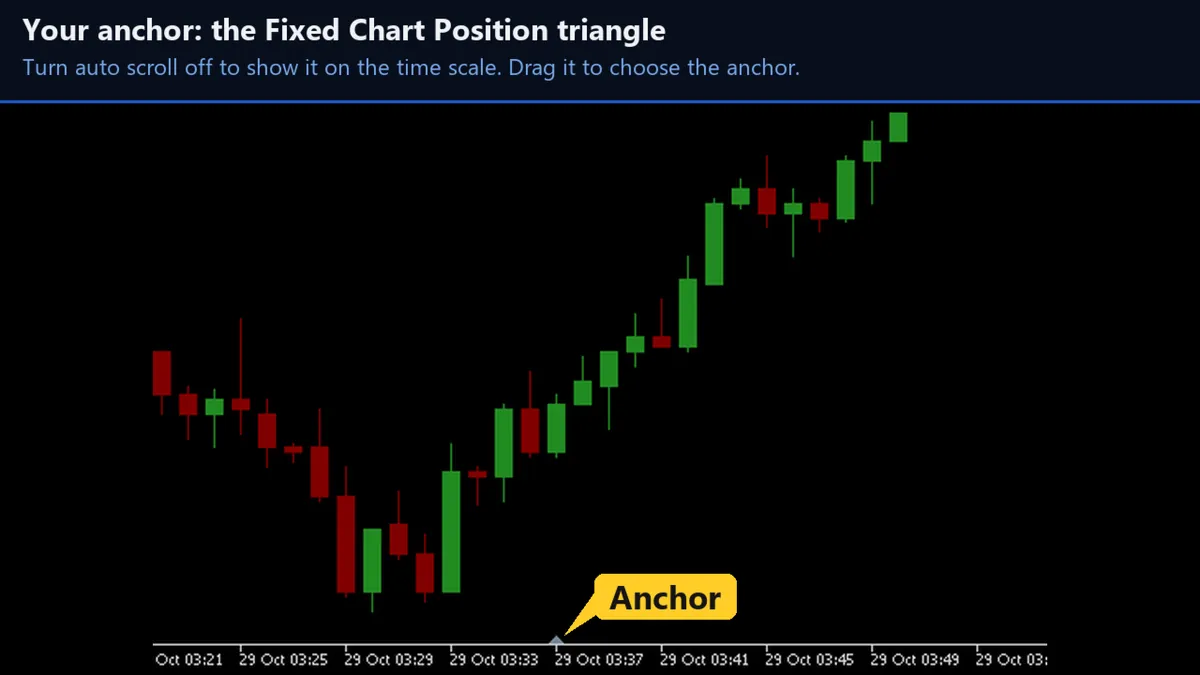
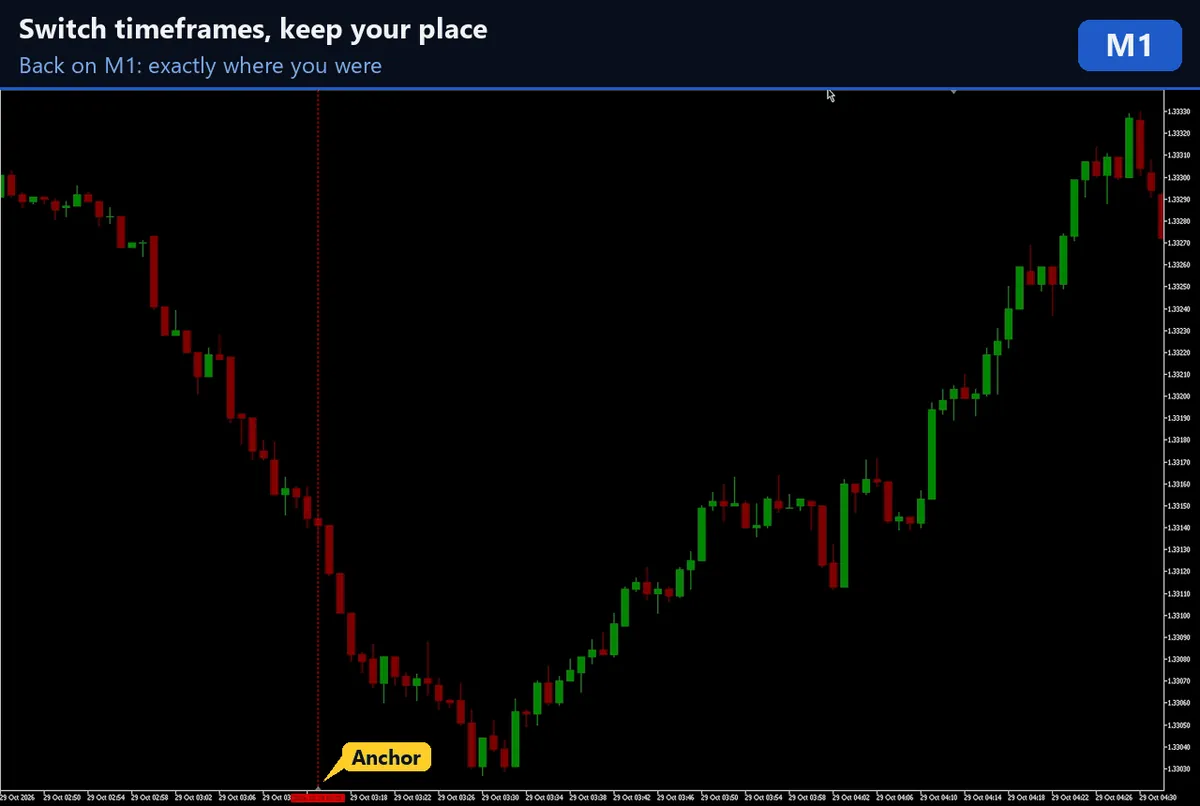
- Stay in place. The bar above MT5's Fixed Chart Position triangle stays above the triangle on the new timeframe.
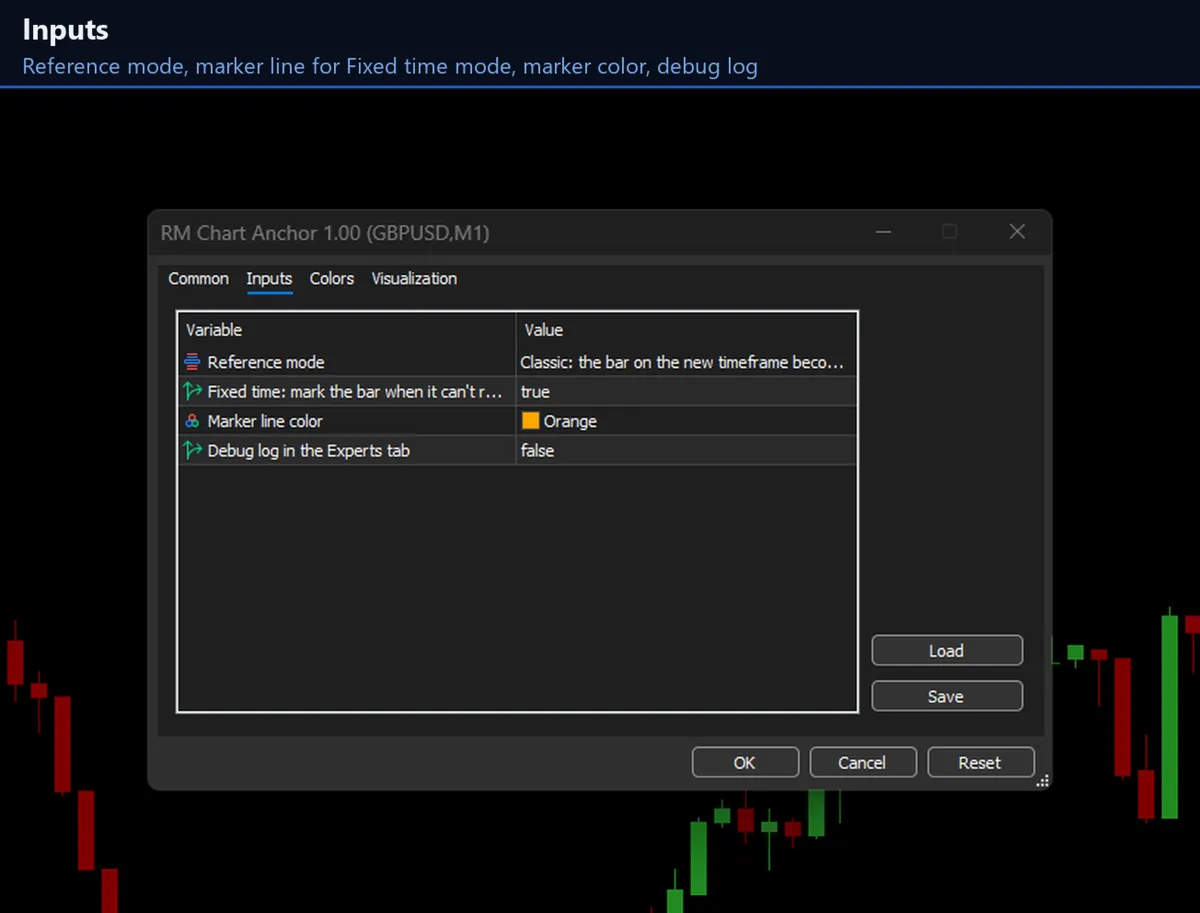
- Two modes. Classic (the matching bar becomes the new reference, as in MetaTrader 4) and Fixed time (the exact time is kept).
- Many charts. Works on all symbols and timeframes, and on several charts at once, each keeping its own position.
- Invisible. No panels or extra lines; it runs in the background and works only when the chart changes.
- Waits for history. It waits for the new timeframe's history to load before moving the chart.
Good to know
- It works only while auto scroll is off.
- The free demo cannot show it: timeframes cannot be switched in the Strategy Tester.
- Near the latest bars a recent bar cannot always sit above the triangle on a higher timeframe; Fixed time mode can mark it with a dashed line.
- How far back the chart can go depends on your broker's history and the terminal's "Max bars in chart" setting.
Screenshots
Get RM Chart Anchor
Available on the MQL5 Market and installed straight into MetaTrader 5.